





Current Scenario
12%
Project Failure rate due to unclear goals.
25–40%
Stale Data within hours of manual entry
15–20 mins
Time Spent on board setup
Primary Users of Plaky
Founders & Small Team Owners
Startup founders, agency owners, and early-stage leaders managing multiple projects alongside broader business responsibilities.
Functional Team Leads
Business, marketing, and engineering leads coordinating tasks, timelines, and team deliverables.
Operations & IT Managers
Professionals overseeing workflows, internal systems, and tool adoption across teams.
As the research scope for this project was intentionally lightweight, we focused on desk research. Insights were gathered from publicly available online user reviews of Plaky. The data was then organised, analysed, and interpreted to uncover recurring themes, friction points, and opportunity areas, which directly shaped the problem framing and solution direction.
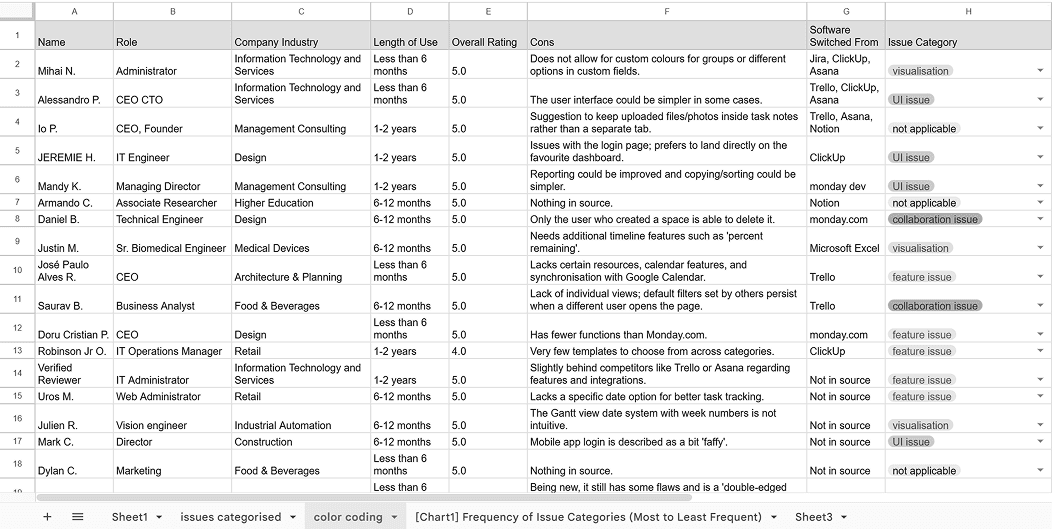
A structured tool used to clearly define the problem by mapping the user, their needs, pain points, and the impact helping align the problem before moving to solutions.

What Users Needed?
As a manager, I want automated status updates and reminders so I don’t have to manually maintain boards.
As a user, I want built-in chat linked to tasks so communication stays contextual.
As a team lead, I want board maintenance to be automated so I can focus on decision-making rather than administration.
Generative AI Integration
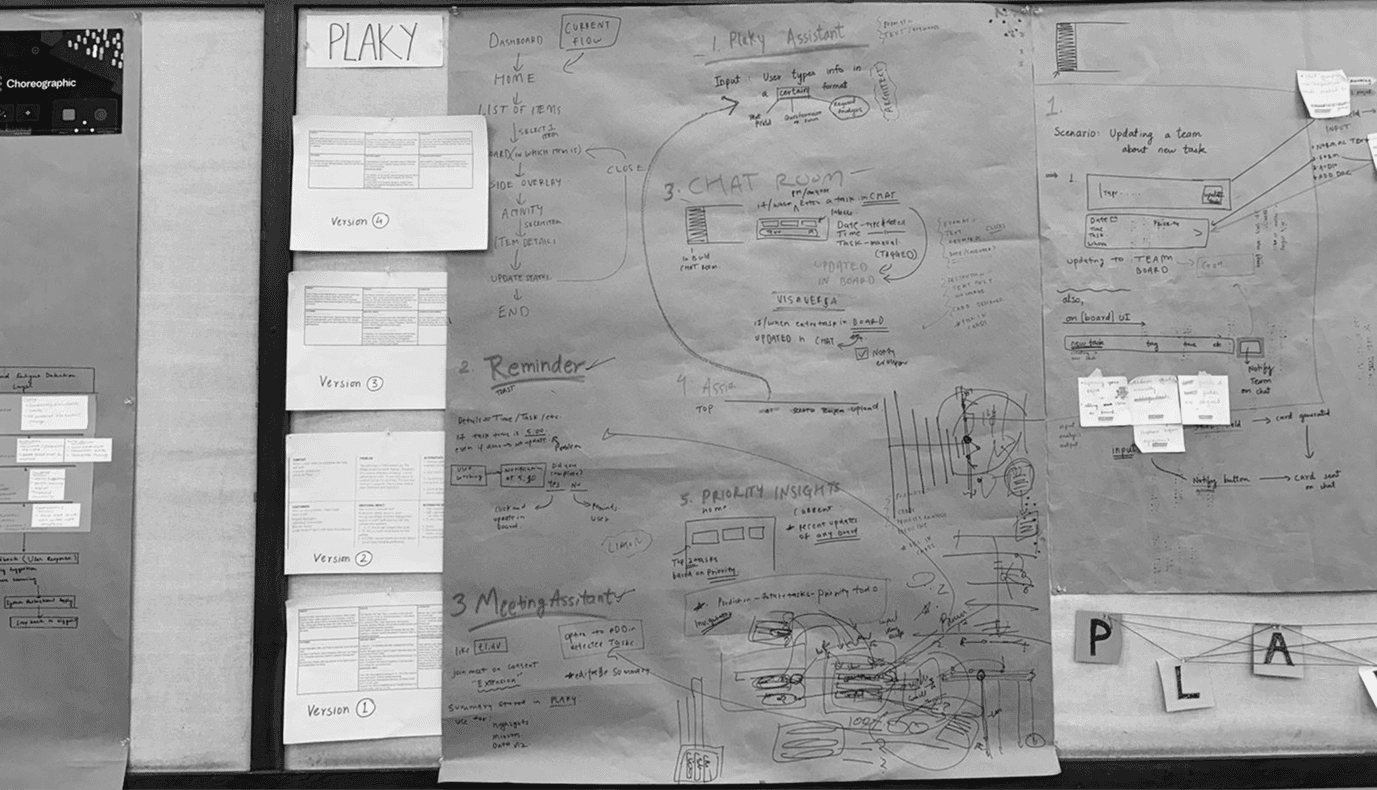
Current User flow
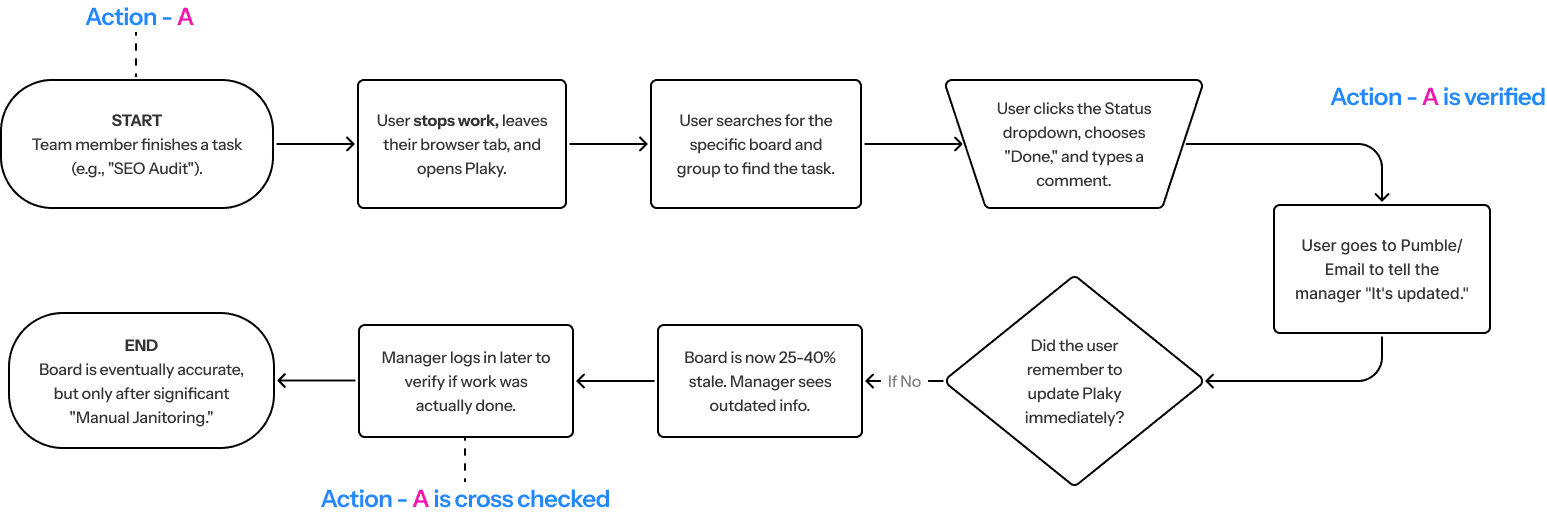
Plaky currently functions as a "Static Container." It excels at holding data but requires significant manual effort to input, structure, and interpret that data. Our focus is on the daily maintenance phases, where the lack of proactive intelligence and high manual maintenance creates a barrier to entry for non-professional project managers (e.g., CEOs of small agencies).
So we Ideated…
What if…
Generative AI worked like a Proactive Project Coordinator?
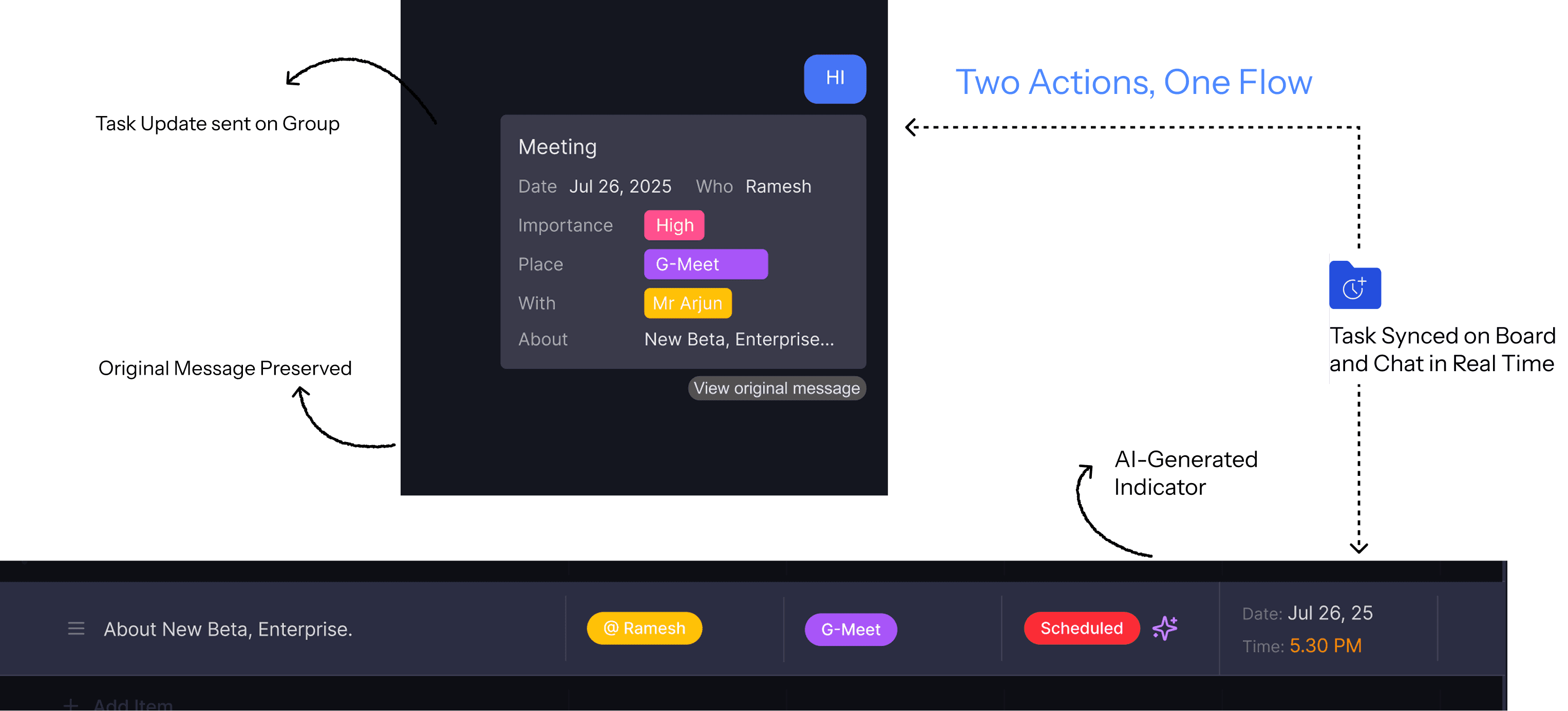
A new AI-powered chatroom transforms everyday conversations into structured, actionable work.
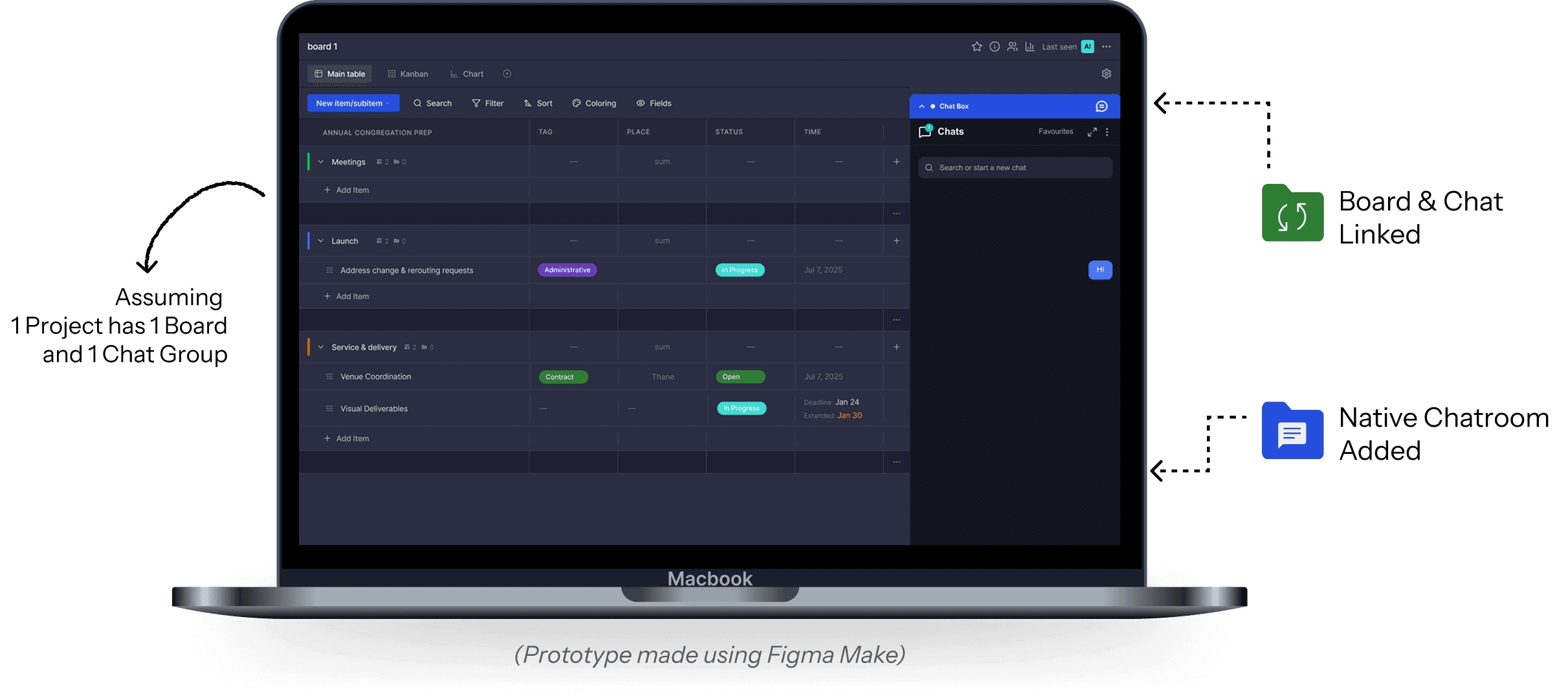
AI Detects a Potential Task
Key metadata like task names, assignees, and deadlines are extracted automatically from the natural conversation.
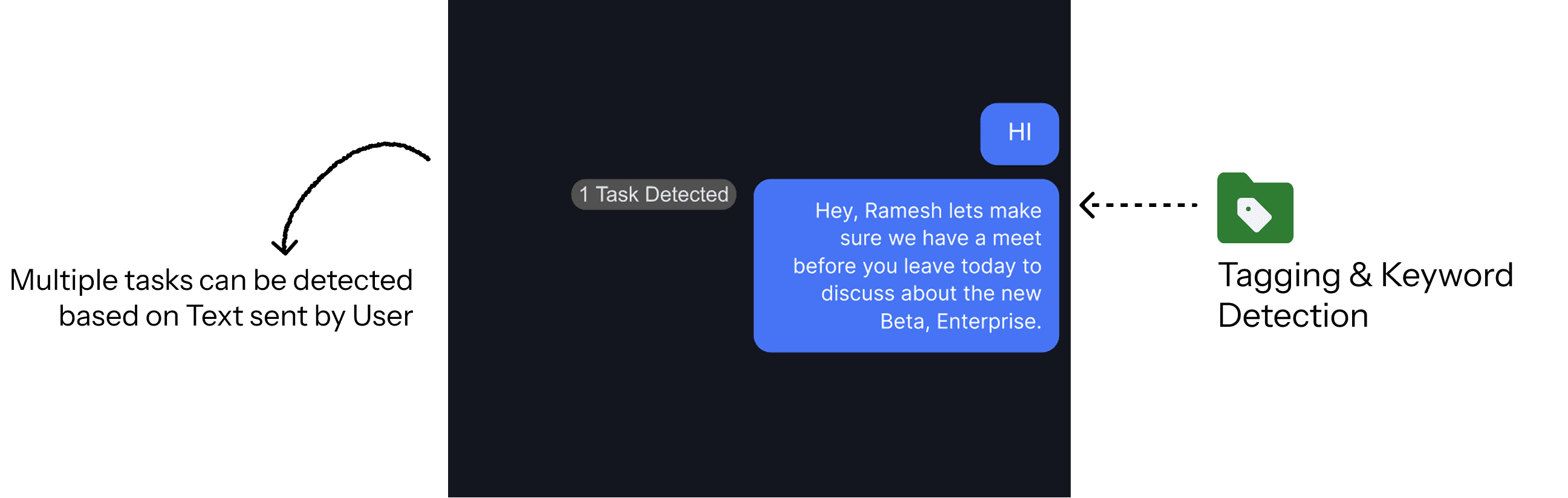
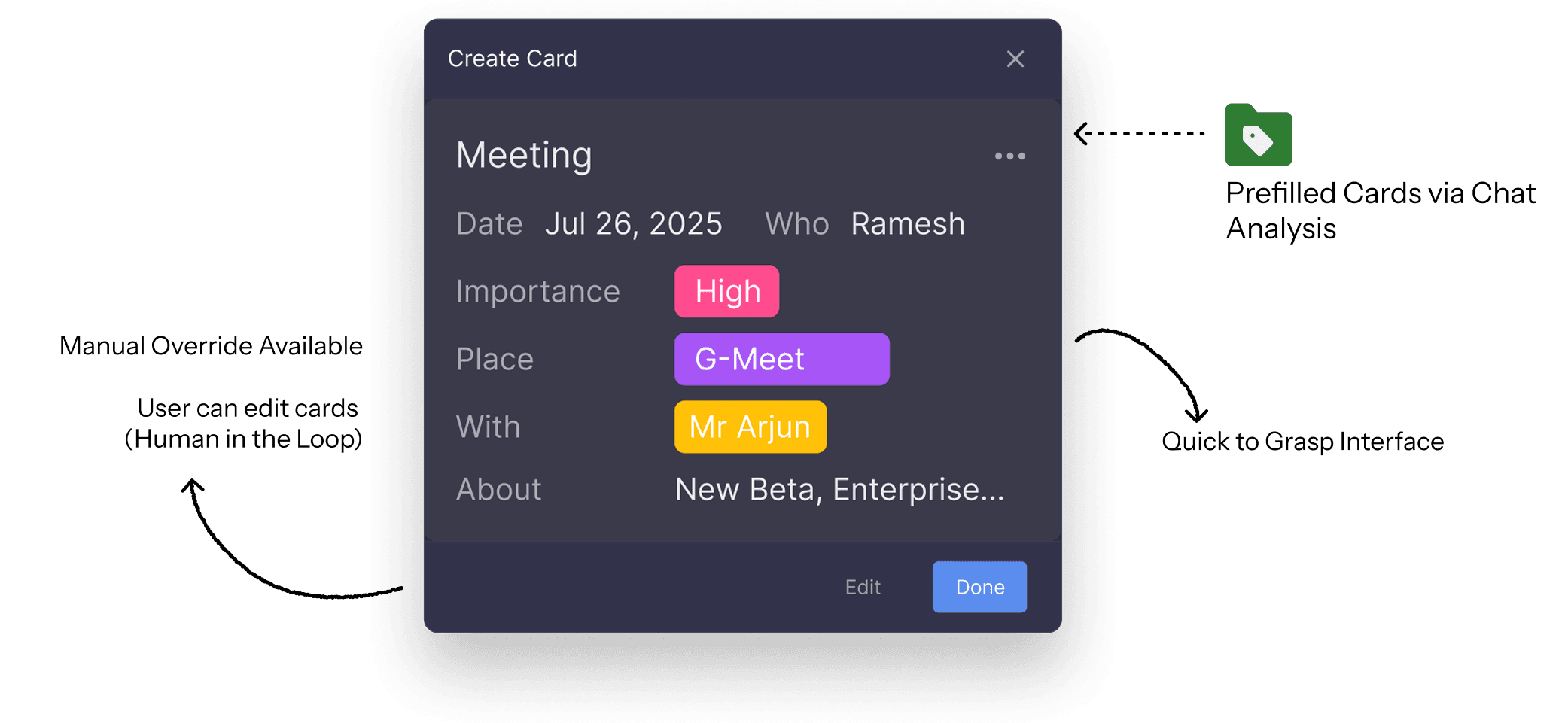
AI Suggests. User Confirms.
A "suggestion card" appears in the chat, allowing the user to review, edit, or confirm the task details before they hit the board.
Confirmed & Synced
Upon confirmation, a visual task card is shared in the chat, and the item is automatically added to the corresponding project board.
View Breakdown
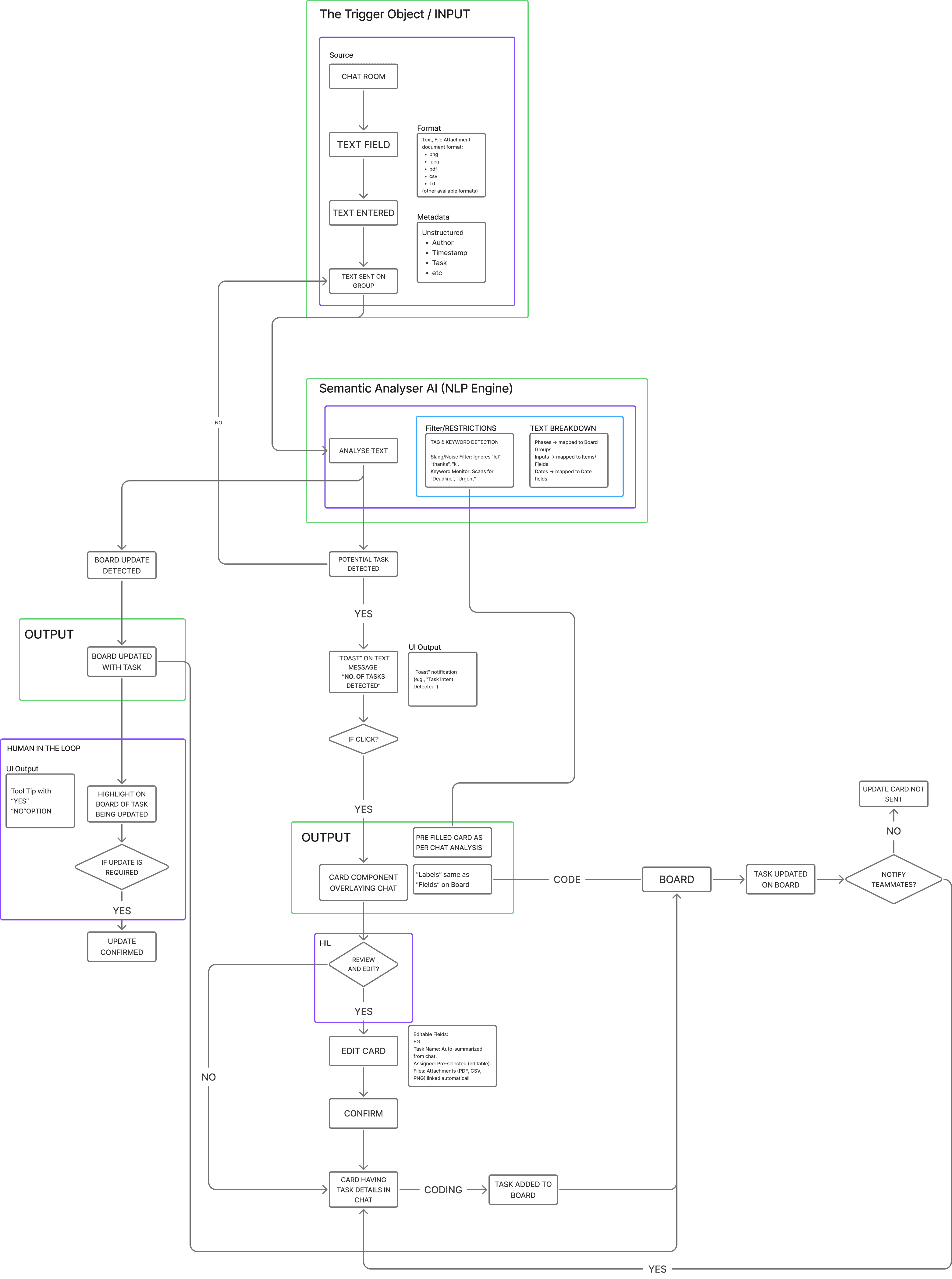
Generative AI Information Architecture
Agentic AI Integration (In Progress)
Current Scenario
Project timelines and status updates are tracked and analysed manually when delays occur in the board.
Users must identify how a delayed task impacts dependent tasks.
Available scheduling windows must be manually reviewed to find a new feasible date.
Timeline updates must still remain within the project’s defined timeline limits.
The Problem
Delays require users to manually analyse the timeline and adjust schedules, which is time-consuming and takes focus away from actual work.
The Objectives are simple…
Analyse user activity on the board and within the systems.
Analyse task dependencies and timeline impact.
Provide rescheduling options for user selection.
What if
An Auto-Rescheduler could reorganize timelines when delays happen?
The Auto-Rescheduler monitors user activity on board and system. When a delay occurs, it analyses dependencies and generates rescheduling options for the user to choose from.

Delay & Dependency Detection
The system analyses board data including deadlines, task status, dependencies, calendars, and workspace context to predict potential delays. A subtle nudge highlights these risks directly on the board.

AI Rescheduling Options
The system generates three rescheduling options earliest, balanced, and latest based on timeline constraints and dependencies. All options respect the project’s final deadline, while the user retains full control to select or dismiss them.

Agents Used
The Auto-Rescheduler operates through multiple agents that analyse the project timeline, plan scheduling adjustments, and improve recommendations over time.
1.
Model Based Reflex Agent
Maintains a project timeline model
Tracks availability and dependencies
Identifies ripple effects of delays
2.
Goal-Based Agent
Plans rescheduling options
Generates three outcomes
Ensures feasibility within timeline limits
3.
Learning Agent
Adapts over time
Tracks user choices
Adjusts recommendations based on preferences
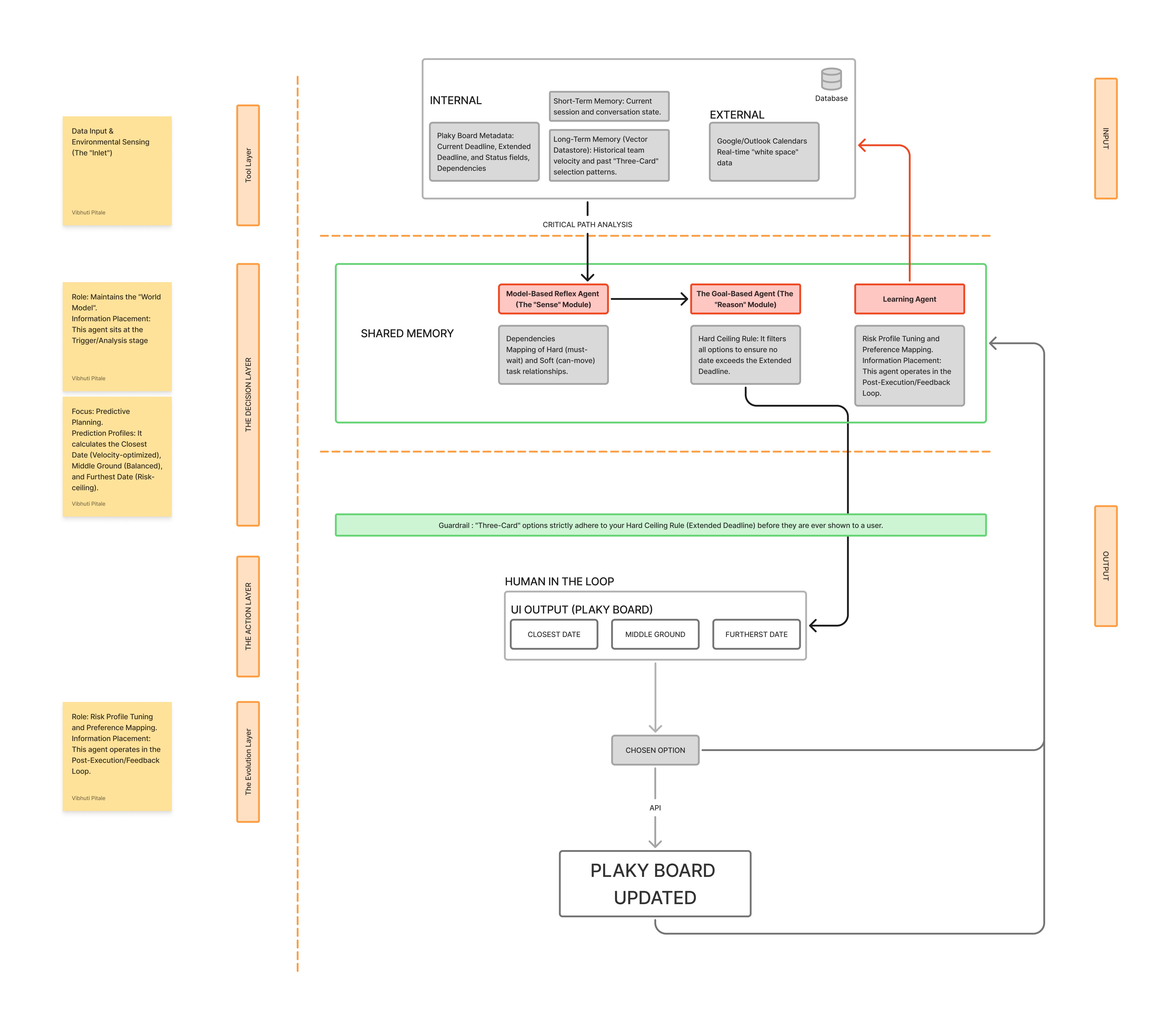
Agentic AI Information Architecture
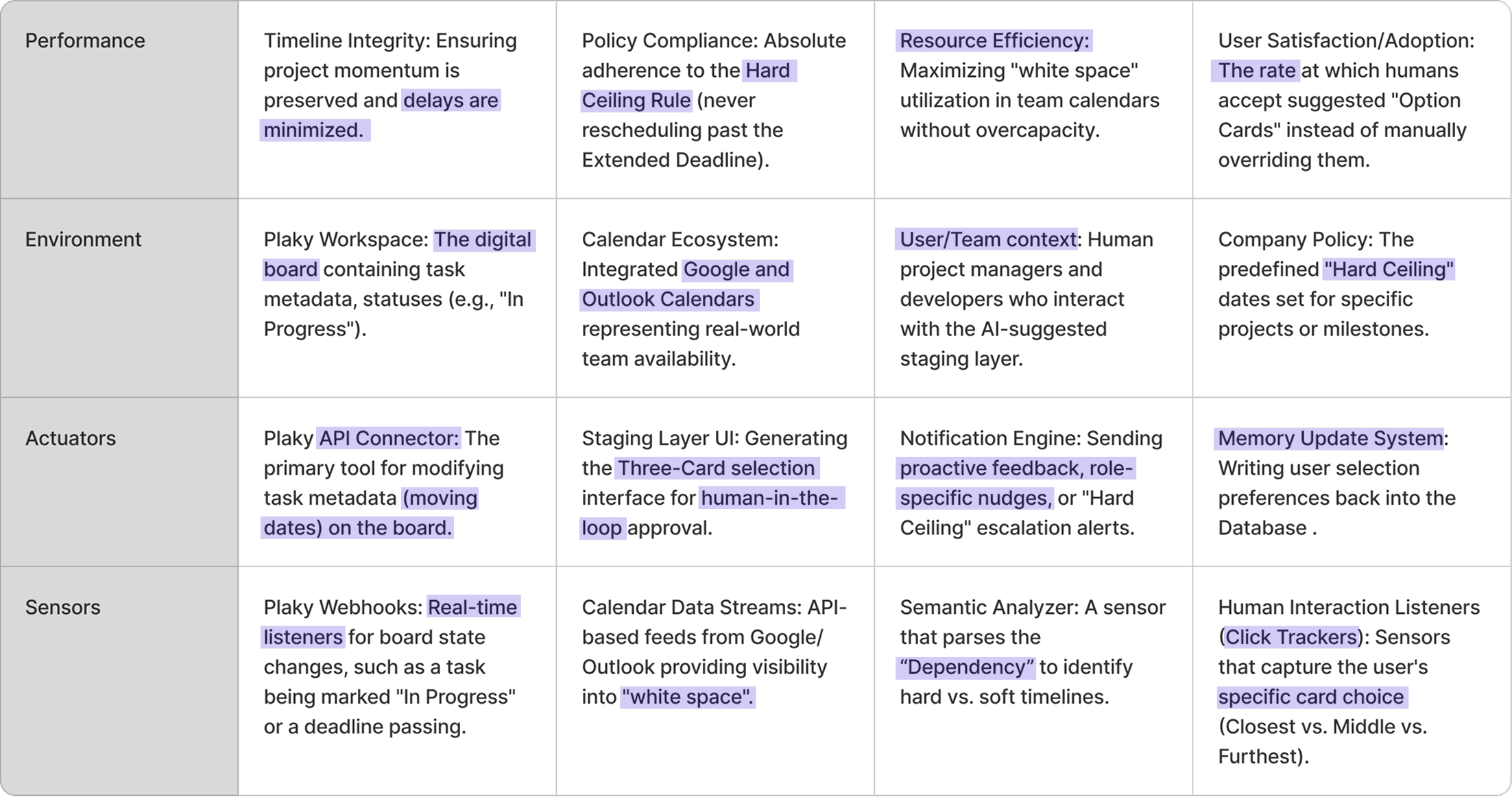
Peas Model
The PEAS model describes how an intelligent agent interacts with its environment by defining its goals, surroundings, actions, and the information it observes.
Impact
Reduces manual effort across task creation and timeline management
Converts unstructured inputs into actionable workflows
Detects risks and suggests next steps proactively
Supports faster, more informed decision-making
Maintains user control while enhancing system intelligence